Reset Permission Location
In PC
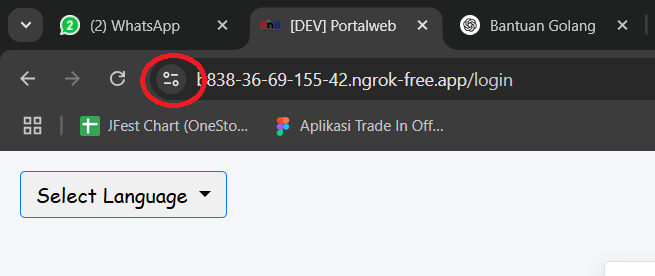
To reset location permissions in a PC browser, click the button circled in red.
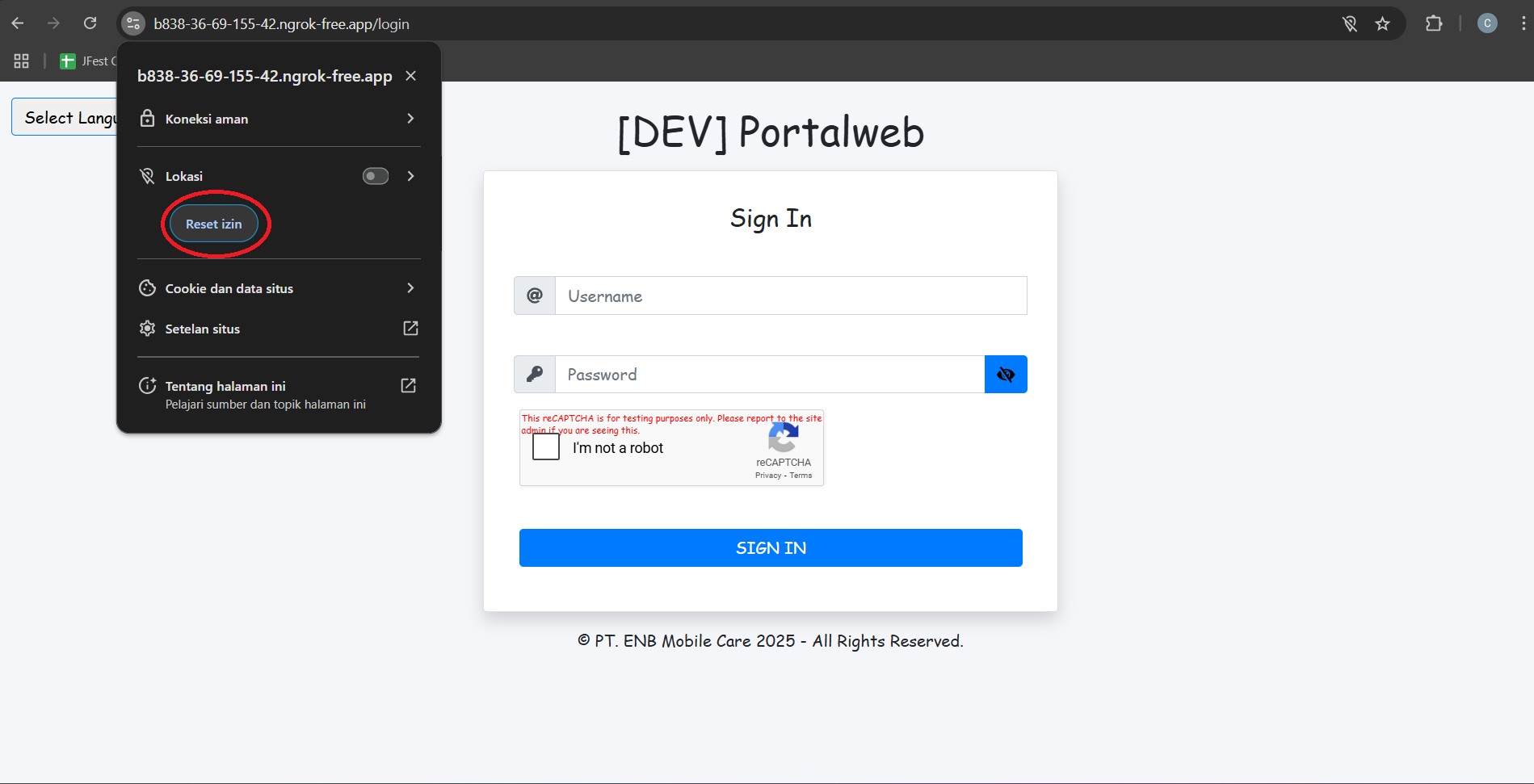
After clicking, a popup will appear like the image above. In the location section there is a reset button, click the button to reset the location permission. After that, refresh or reload your browser and do the location permission.
In Mobile
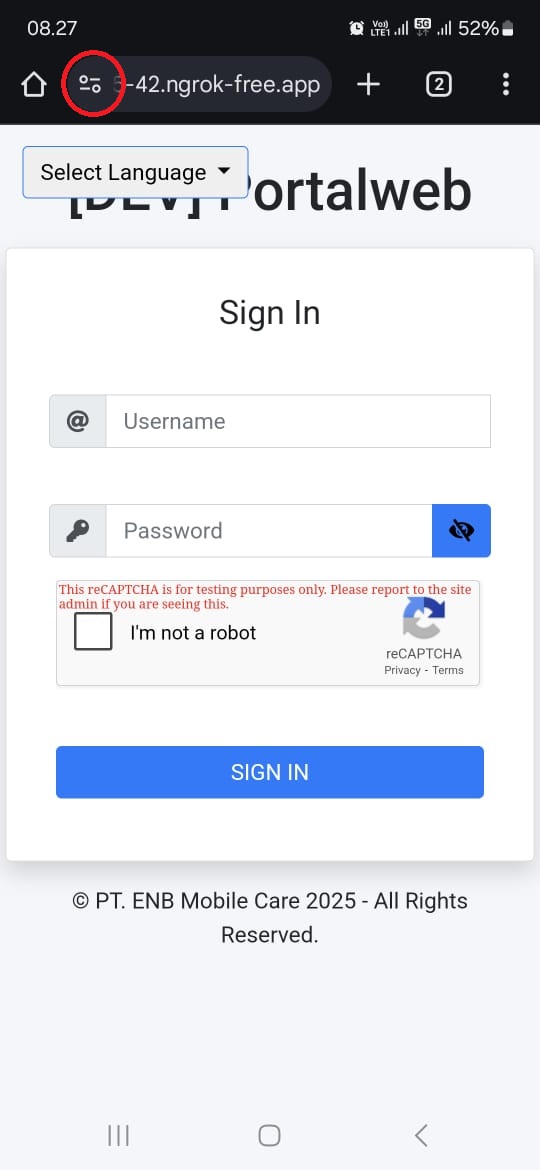
To reset location permissions in a mobile browser, click the button circled in red.
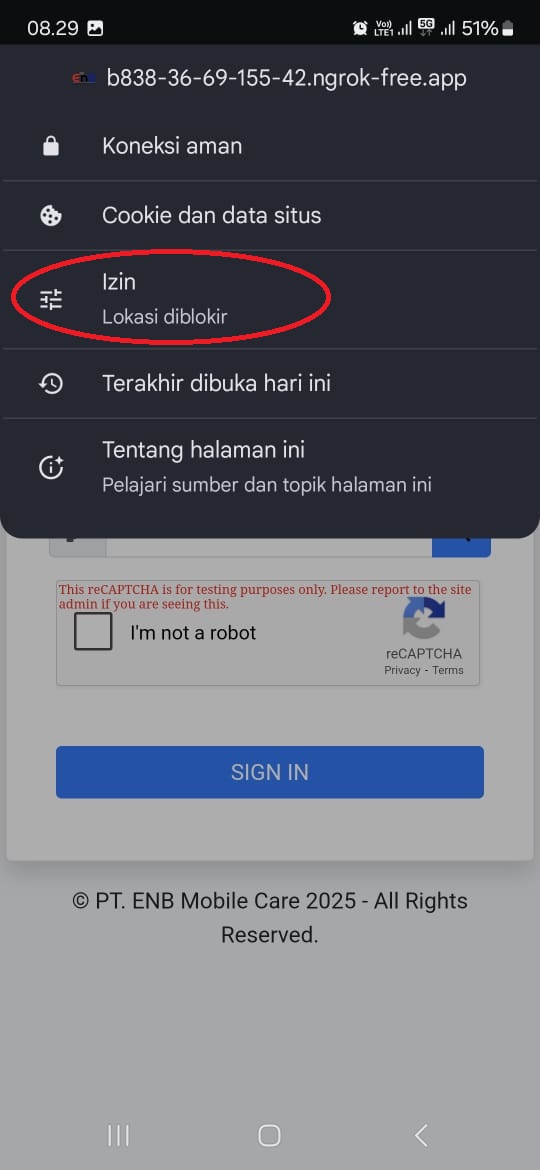
After clicking, a popup will appear like the image above. In the Permissions section (circled in red) click the menu.
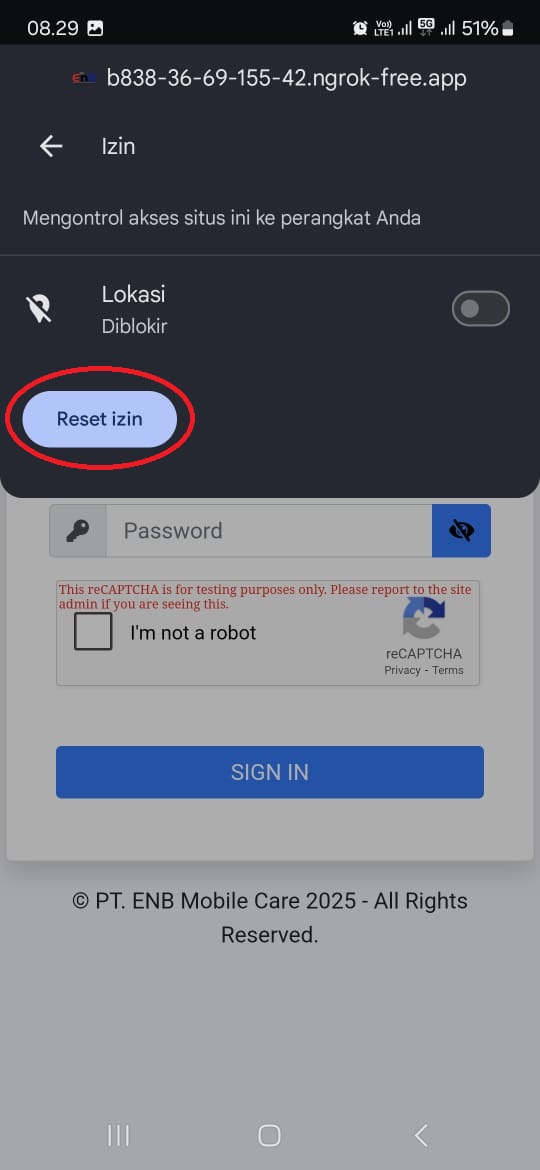
Will enter the location page. On the page there is a reset permission button (circled in red) then click the button to reset the location permission.
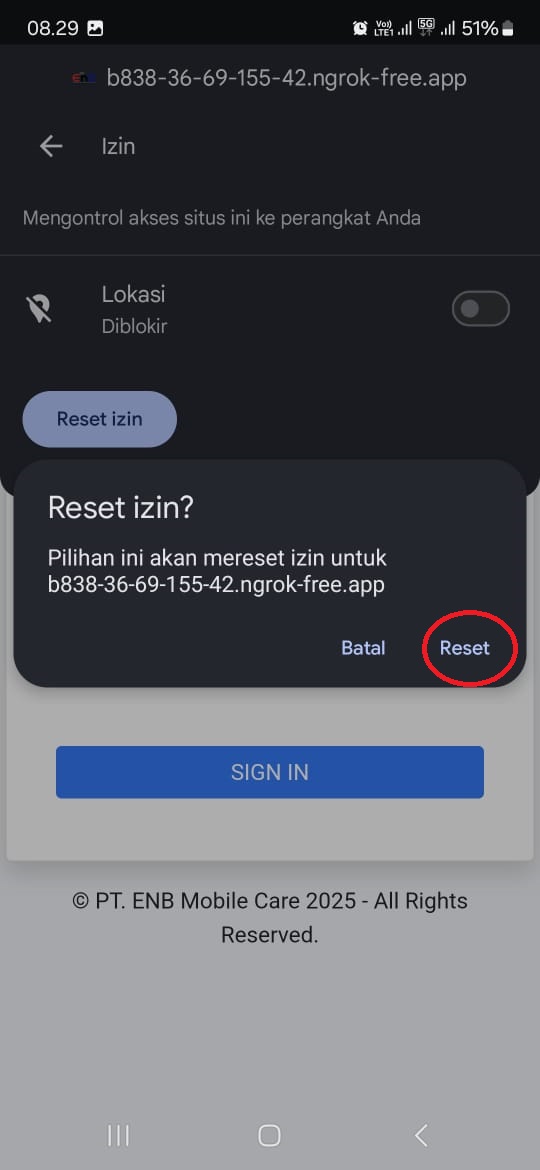
A confirmation popup will appear, click reset.
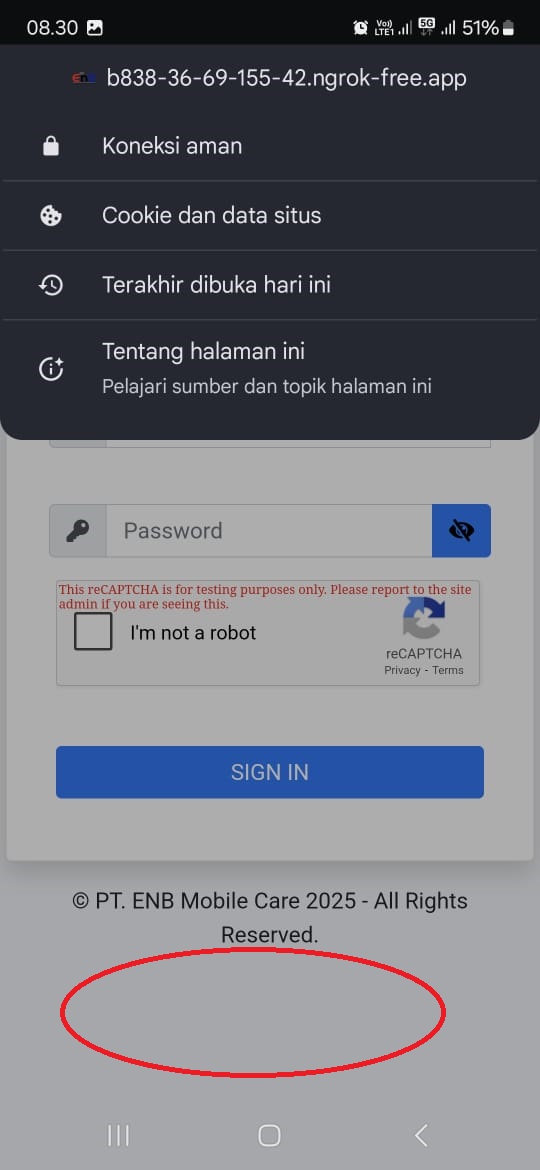
On some devices a menu like this will appear. Ignore this menu by clicking somewhere other than the menu area, or click somewhere that has been circled. Then refresh your browser and allow location permission.